How to Film News Footage a Newsroom Can Actually Use
Published on 29th July 2022
How to Film It So a Newsroom Can Actually Use It
Most eyewitness footage never sells. Usually it isn't because nothing happened — it's because of how it was shot. Here's what editors need, and why.
Two people can stand on the same street and film the same event. One clip leads the six o'clock news. The other gets passed over.
The difference is rarely the event. It's whether the footage can be cut into a bulletin by someone working at speed under deadline.
That's the thing worth understanding before anything else. When your video reaches a newsroom, it lands with a producer who has a few minutes to decide whether it's usable, and an editor who has to drop it into a package alongside studio-quality material. They aren't judging it as a film. They're asking a much narrower question: can I actually put this to air?
Everything below is about making the answer yes.
While it's happening
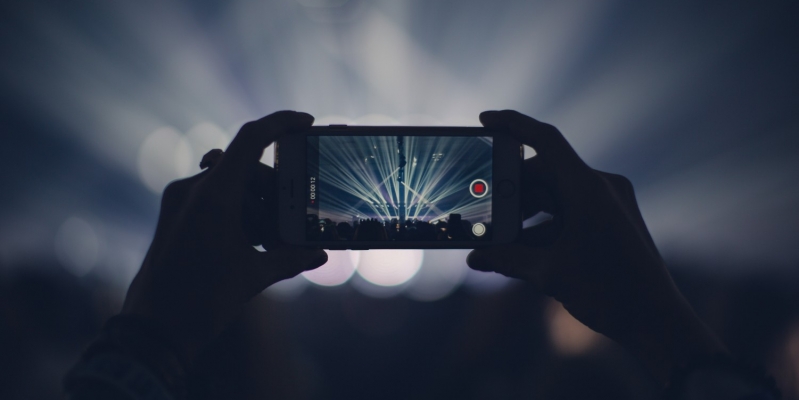
1. Turn the phone sideways
Landscape. Every time. This is the one that costs people the most.
Broadcast is horizontal. News players are horizontal. A vertical clip has to be cropped, blurred at the edges or dropped into a letterbox, and all three look like a compromise on screen. Some outlets will still run vertical footage if the moment is extraordinary enough. Most won't bother when there's a horizontal option available.
If you take nothing else from this page: turn the phone sideways before you press record.
2. Hold still
Don't sweep the camera around looking for the action. Find the action, frame it, and stay there.
Shaky, roaming footage is hard to watch and harder to cut — an editor can't take a clean three seconds out of a shot that's constantly moving. Brace yourself against whatever's nearby: a wall, a car roof, a fence post, a friend's shoulder. Tuck your elbows into your ribs. Breathe out slowly rather than holding your breath.
Steady footage of something ordinary beats shaky footage of something remarkable more often than you'd think.
3. Don't zoom
Phone zoom is not real zoom. It crops into the image and throws away detail, and you can't get that detail back.
Stay wide. Modern phones shoot at high enough resolution that a newsroom can crop into your wide shot in the edit suite and still have a broadcast-quality image. If you zoom for them, you've made that decision permanently and taken away their options.
If you need to be closer and it's safe to move, move. If it isn't safe, stay wide. A wide shot of a distant event is usable. A blurry digital zoom is not.
4. Hold each shot for seven to ten seconds
Count it out if you need to. It feels much longer than it is.
Editors need sustained, stable clips they can cut in and out of. A shot that lasts two seconds is unusable — by the time it's on screen it's gone. Ten seconds of one steady frame gives them something to work with, and gives them room to lay a voiceover over the top.
Then reframe, settle, and hold the next one for another seven to ten seconds. Frame, hold, move. Frame, hold, move.
5. Get the wide shot before the detail
The instinct is to point at the most dramatic thing. Resist it for a few seconds.
Start wide enough that someone who wasn't there can understand what they're looking at — the building, the intersection, the crowd, the scale of it. Then move to the detail. That order matters because a news package is usually built the same way: establish the scene, then go close.
If you only give them close-ups, they have no way to open the story.
6. Film the boring stuff for context
This is the tip people skip, and it's often what makes a clip sellable rather than merely interesting.
If you have time and it's safe, film the surroundings. Street signs. Shopfronts. A landmark on the skyline. A road sign with a place name. The weather. The emergency vehicles arriving.
These shots do two jobs. They prove where and when this happened, which matters more than it used to. And they give the newsroom the connective material a package needs — you can't cut ninety seconds of television out of one dramatic angle alone.
7. Let the sound run
Don't narrate over the top of everything, and don't film with music playing.
Ambient sound — sirens, wind, shouting, the noise of the thing itself — is genuinely valuable and often can't be recreated. Keep your hand away from the microphone at the bottom edge of the phone, and try not to talk directly over the loudest moment.
8. Say where you are, once
At some point, say it out loud: where you are, what you're seeing, roughly what time it is.
It takes five seconds. It makes the footage feel real, it helps prove it's yours, and audio can always be stripped out later. Do it at the start or the end rather than over the top of the action.
9. If you talk to witnesses, do it properly
If people around you are willing to speak, that adds real value — but only if it's done in a way a newsroom can use.
Ask them to say their name to the camera, and if they're comfortable, a contact number. Hold the phone steady and let them finish their sentences without interrupting. Ask open questions: what did you see, where were you, what happened next. Don't lead them, and don't push. If somebody doesn't want to be filmed, that's the end of it — respect it immediately.
10. Don't stop and start
Long continuous recordings are more useful than a folder of five-second fragments, and they're harder to dispute.
Press record and leave it running through the sequence rather than stopping and restarting every time something changes. Storage is cheap. Missing the moment because you were tapping the button is not.
What makes footage unusable
Quick checklist. Any of these will sink an otherwise good clip:
Vertical — croppable, but always second choice
Digital zoom — detail thrown away permanently
Shots under three seconds — unusable at any quality
Music playing in the background — creates a copyright problem the buyer won't take on
Filters, captions, stickers or edits — send the original, always
Screen recordings of someone else's video — not yours to sell
Already posted publicly — the single most common reason footage is worth nothing
That last one deserves its own line. Everything above is about quality. That one is about value, and it's the mistake that costs people the most.
Judgement comes first
None of this is worth getting hurt for.
If a situation is dangerous, your safety comes before the shot — and no clip is worth putting yourself or anyone else at risk. If someone needs help and you can safely give it, help them. Put the phone down. That isn't a rule we're imposing; it's the thing any decent person does, and no amount of footage is worth more than it.
Be sensitive about what you're pointing the camera at. People at their worst moment, injured people, children, the distressed. Film with the same restraint you'd want if it were your family in the frame. Newsrooms apply editorial standards to this material anyway, and footage shot without that judgement often can't be used at all — but that's the small reason. The real reason is the obvious one.
When you stop filming
One last thing, and it's the one that decides whether any of the above was worth doing.
Don't post it. Not to your story, not to a group chat that'll leak, not anywhere public. The moment eyewitness footage hits a public feed, the exclusivity that makes it valuable is gone — and once it's been copied and reposted a few times, there's no way left to prove it came from you.
Keep the original file. Don't trim it, filter it or export a compressed copy. Send us what came out of the camera.
Then upload it, while it's still yours and still worth something.